- 3D models only
- 3D models and drawings
- drawings only
For the purposes of this article, we'll discuss the first two.
SolidWorks' part and assembly models support 3D annotations and conform the ASME standard. They can be organized using all of your standard orthographic views, and they replicate the standard drawing view orientations. 3D annotations are easy to create and manage and can be an integral part of your purchasing, manufacturing, and inspection processes.
Why Use 3D Annotations?
In addition to common ways to define design intent, 3D annotations allow engineers to insert critical information directly into the SolidWorks model. They can reduce or even eliminate the need for 2D drawings. Even if drawings are eventually required, adding this information to the model helps speed up the drawing process.
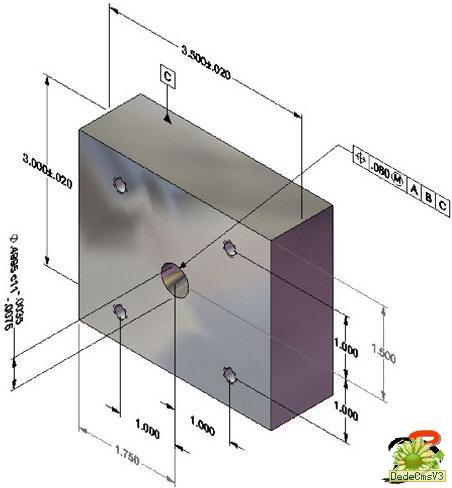 3D annotations. |
Getting Started
Every SolidWorks model contains a default annotation view called Unassigned Items. This view contains any annotations that aren't inserted into specific annotation views.
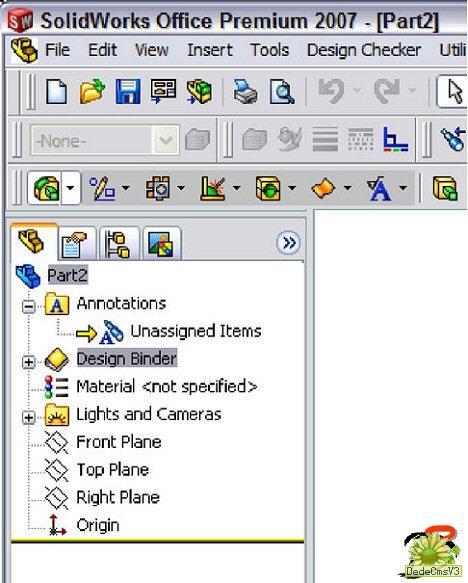 Default annotation view. |
You can manually and automatically add new annotation views to your model. To add the views automatically, right-click on the Annotations folder in the feature manager and select Automatically Place into Annotation Views. Each time you insert an annotation, it's added to one of the existing views or a new view is created.
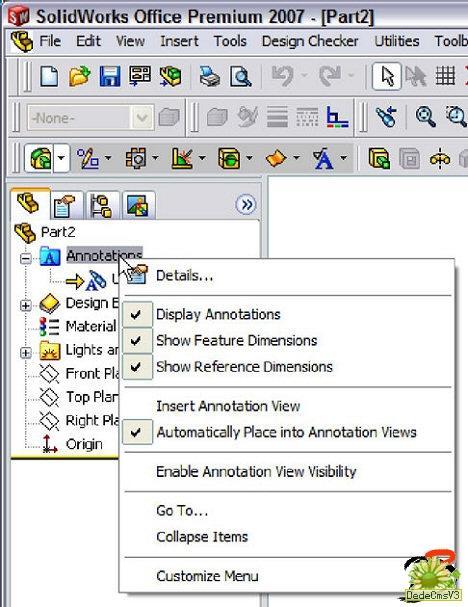 Automatically create annotation views. |
Insert Annotation Views Automatically
The first feature you create in a new model results in at least one new annotation view being created -- more than likely there will be two. Creating and extruding the first feature in this model automatically created the front and top annotation views.
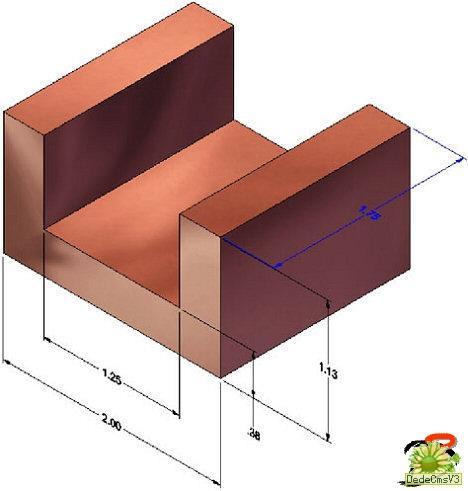 The front and top annotation views. |
To add additional annotations, select a tool from the Annotation toolbar. Select a face and place the annotation (such as a datum features or surface finish symbols). The annotations are added to the appropriate annotation view.
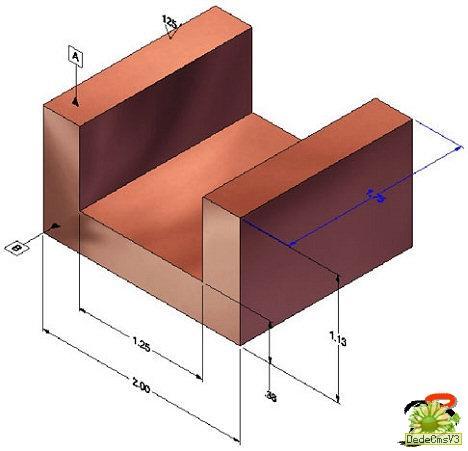 Add annotations. |
 Front annotation view. |
Change Annotation Views
If you want to change an annotation to display in another view, you can change each annotation separately or move them all at once. To move several annotations at the same time, right-click on the annotation view in the FeatureManager design tree and select Edit Annotation View. The Move to Annotation View property manager displays, and you can select multiple annotations to move into the view.
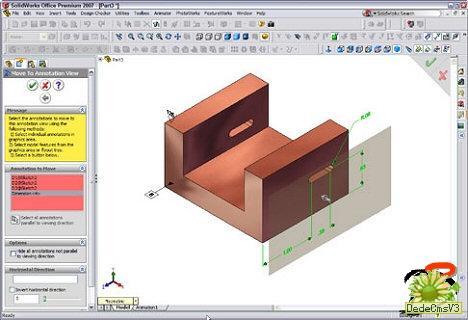 Moving annotations. |
You can also select one or more annotations from the graphics window, right-click, and select Change Annotation View. The current view is listed and a flyout menu lists the available annotation views. Select the new view and the annotation moves.
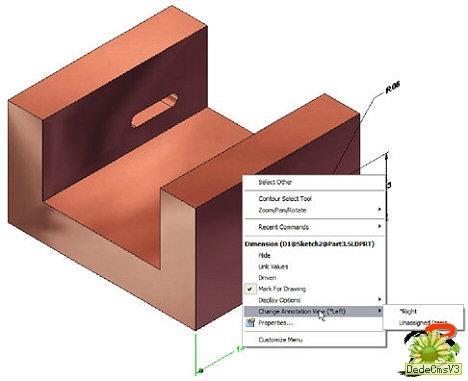 Moving individual annotations. |
Create Drawings from Annotation Views
When you create a drawing from the model, select the Annotation View radio button in the drawing view property manager. The orientation section of the property manager shows the available annotation views with a special icon. Select one or more of the annotation views and the drawing is created.
NOTE: 3D annotations in parts aren't dynamically linked to their corresponding drawings. If you change a 3D annotation in a part, the drawing is not updated. You must reinsert the drawing view for the change to take effect.
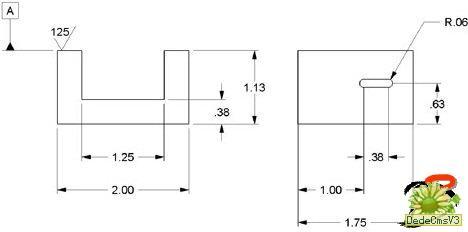 Annotation view in a drawing. |
Provide More CAD Data
Whether you are looking to reduce the dependency on 2D drawings or are simply looking for ways to provide downstream users of your CAD data with more information, 3D annotations are steps in the right direction. Using 3D annotations can help bridge the information gap between design and manufacturing and provide a better transition when it's time to have your parts made. Even casual users of your CAD information, such as purchasing and marketing staff, will benefit by having complete manufacturing information available at the model level.
相關文章
- 2021-09-08BIM技術叢書Revit軟件應用系列Autodesk Revit族詳解 [
- 2021-09-08全國專業技術人員計算機應用能力考試用書 AutoCAD2004
- 2021-09-08EXCEL在工作中的應用 制表、數據處理及宏應用PDF下載
- 2021-08-30從零開始AutoCAD 2014中文版機械制圖基礎培訓教程 [李
- 2021-08-30從零開始AutoCAD 2014中文版建筑制圖基礎培訓教程 [朱
- 2021-08-30電氣CAD實例教程AutoCAD 2010中文版 [左昉 等編著] 20
- 2021-08-30高等院校藝術設計案例教程中文版AutoCAD 建筑設計案例
- 2021-08-29環境藝術制圖AutoCAD [徐幼光 編著] 2013年PDF下載
- 2021-08-29機械AutoCAD 項目教程 第3版 [繆希偉 主編] 2012年PDF
- 2021-08-29機械制圖與AutoCAD [李志明 主編] 2014年PDF下載